May 13, 2013

Last time I mentioned that I installed Tiny Tiny RSS on my server but had to make some changes so that it would run without error on this particular system. I wished I didn't have to patch it myself but I couldn't convince the hoster to update the server environment (which would also affect all other users on that system, yep the downside of shared hosting) and cause all sorts of follow-up trouble.

Luckily that's not a security issue as the installation is pretty locked down on all sides but it also adds additional issues for TT RSS which requires a bit more relaxed security settings.

Tiny Tiny RSS 1.7.8 has following issues with my environment:

  1. it requires PHP 5.3 but my environment only offers PHP 5.2
  2. it requires that the security restriction open_basedir is not active

TLDR: Download and apply this patch to your Tiny Tiny RSS 1.7.8 installation to enable PHP 5.2 and open_basedir compatibility.

Long explaination: To create compatibility with my environment I had to patch Tiny Tiny RSS in the following ways:

  • replace all instance-accesses to constants with static references (e.g. $pluginhost::HOOK_RENDER_ARTICLE_API -> PluginHost::HOOK_RENDER_ARTICLE_API)
  • remove uses of namespaces (e.g. JShrink\Minifier -> Minifier)
  • implement manual follow of a feed-redirection (HTTP/301,302), as curl can't auto-follow under restricted open_basedir environments
  • fix all checks on the environment versions and restrictions to the lower PHP version and stricter security

It took a few hours and some debugging but now I'm happy so far with a Tiny Tiny RSS installation which runs aparently without any issues. At least I haven't found any problems/issues since I finished that work.

Problems still may exist in following areas, which I could not or have not tested:

  • Multi-user/account support (I don't know if the constants are accessed through variable instances for a specific reason)
  • automatic feed-update (my server doesn't allow jobs), I'm using update-on-access

That's about it. In the meantime I found out that Tiny Tiny RSS released the next version 1.7.9. I'm trying to set up a github fork where I can follow the development better and support my compatibility patch for a longer time but I'm not that experienced with that process yet so it could take some time. I'll update this post when I'm finished with that.

Patchfile: TinyTinyRSS-1.7.8_PHP-5.2_compatibility.patch

May 12, 2013

I don't exactly know why but in the past month I somehow did not find the time and motivation to create a proper post but several things have happened and this is just a quick summary over them all.

This may or may not be followed by individual posts on each single subject. I hope that I get around to that but no guarantees. So lets get it on.

On the LED Cube front I hinted on a "recent technical acquisition" in my last post on that subject. Well, this acquisition is nothing less than a full blown digital oscilloscope. YAY. It took a few weeks to decide and also a few days to find a suitable distributor but now I'm a proud owner of an Owon SDS7102V 100MHz digital scope.

The next notable gadget I (finally) received is the long-awaited Pebble watch. Within two days this little gem became the most notable thing which I didn't know I have been missing as companion for my phone for a long time. Despite some bad reviews on other places, I've been expecting an "extension" to my phone's display and that's exactly what I got. No need to long for the phone in my pocket anymore when there's something up. Within a second I know what's up and can still decide if I should take out the phone or just ignore a received spam mail until later. Furthermore much less distraction for other participants in case of meetings. Currently I'm mainly using this Star Trek inspired watchface for displaying the time and I also have installed Pebble Notifier on my phone to forward notifications of some selected applications to the watch, even if these aren't natively supported by the Pebble app itself. Great tool. And it's quite exceeding the expected runtime, my current record is set at 10 days without recharge (and that's before I discovered the option to not turn on the backlight when there's enough ambient light).

I also attended several events. The first one was the Grazer Linuxtage which is a mixture of project exhibition and series of lectures all centered around Linux. Like two years ago, where I also attended, the lectures were quite interesting and I hope that I find some time to try out or have a deeper look at some things I noted down during the lectures. The only negative point of the event is that the place is getting much too small for this event. Many of the lectures I attended that day were so crowded that late-comers could not even enter the lecture hall anymore. I hope that this changes in the future.

One followup-event which I got notice of on the Linuxtage was a (Linux) Show and Tell at the realraum Graz. At this event people showcased their favourite or special Linux tools, i.e. special use cases and capabilities of SSH. Before that event I thought that I'm not that bad with the Linux console, but I've been pretty much floored by the experts there. Which is not necessarily as bad as it sounds because at least I understood everything the guys were talking about :)

The barcamp Graz was the next event which I visited. That time this was a three-day long event and luckily I could be there all days. A barcamp is like a conference just with the difference that every attendand is a participant and presenter. The detail topics of the sessions are not planned before but are decided on and ordered by all participants at the start of each day by themselves. It was a very interesting experience and made it possible to have a look at many different topics from many different points of view.

One special thing I took away from the barcamp was the idea of a Repair Cafe. This is a privately organized meetup of people to just repair broken everyday stuff and get some more lifetime out of it. It is some sort of counteraction against the creeping planned obsolescence of things. We were several people who were interested in that idea and it seems that Brigitte and I are currently the ones who are further driving the idea. Maybe there is the chance of a permanent recurring event where everyone helps everybody :)

Since Google Reader is discontinued by July 1st I've been looking for alternatives for some time now. I had a long look at Feedly but in the end didn't decide on it because it does not have a clean web interface but only works through native apps or browser plugins. So I chose to install Tiny Tiny RSS on my own. During installation I just hit a roadblock or two. In fact, my problems were that the minimum requirements for TT-RSS were PHP 5.3 and special server modes (e.g. no php_basedir/open_basedir restriction) while my hosting provider only offered PHP 5.2 with active open_basedir restriction. After trying to find an alternative to that (which wasn't successful) I decided to go the hard way and back-port and refactor Tiny Tiny RSS to work with my hosters restrictions. It took a few hours but finally I had a flawlessly running TT-RSS despite the settings of my hosting. I will post the changes here as soon as I come around to create a proper patchfile (maybe that will happen in the nearer future).

And finally last weekend I had the honor to be invited to my cousins wedding. It was a very nice and private wedding with (almost) only the closest relatives invited. Thanks for that and best wishes!

March 31, 2013

Last time I hinted that I finally put together the full 3x3x3 cube.

From Building LED Cube

From another perspective it is better visible that I changed the soldering process a bit from the first layer compared to the others.

From Building LED Cube

The top layer has some brownish residues on the bottom of the LEDs. These are traces of the soldering flux which burnt into the LEDs bases when I kept the soldering iron a tad too long close to them. For the other layers I left out the additional flux and also tried to keep the heating phase as short as possible on the pins. The result is that the two lower layers have clean LEDs. But two of the joints broke again and had to be fixed during the first test in the breadboard so they don't seem to be as stable. Another thing I should remember for later is that I should sand the iron wires next time before soldering. They look a bit dirty in the cube, swallow some light and probably are harder to solder that way too.

Nevertheless the finished cube allowed some cleanup of the crowded breadboard by reducing the required traces to only a single "bus" and relocating the layer control. Furthermore the "bent wire" connection for the planes (visible in the photos from last time) have been replaced by croco clip wires for a higher reliability and flexibility.

From Building LED Cube

And powering up the cube and testing all LEDs for correct functionality shows everything working as expected and its whole glory.

From Building LED Cube

The observant reader may have noticed that the circuit of the layer logic has changed since its last appearance. This is the intermediate result of many hours of playing working with my latest technical acquisition. But more on that in a later post.

As for the grid construction of the cube in general: I doubt that I could solder the big 8x8x8 in the same manner as I did the small cube. With the small one I initially soldered the three 3x3 layers individually and then put the layers together by first attaching the corner connections and then the inner leads. As I could do this by hand it just worked but in the height of 8 layers stabilizing one (unstable) 8x8 layer for soldering and keeping the distances exact is nearly impossible. So I need some sort of metal or wooden rack during soldering but I'm not sure yet how it should be constructed and used. There are some ideas floating in my head but I have to think more about those and probably test some of it.

March 26, 2013

A few days ago I hit a problem while refactoring some legacy Java Code. Following my own advice to use safe and simpler library methods I changed the code-block

List<String> list = dao.getEntries(id);
if(list != null && list.size() > 1) {
  doFancyLogic(list);
}

to

List<String> list = dao.getEntries(id);
if(CollectionUtils.size(list) > 1) {
  doFancyLogic(list);
}

Should do the same, looks nicer and should be safer too, right? Imagine my confusion when suddenly several unit tests began failing at other parts of the code not directly related to this change. When I found out that this single line was the cause of the other errors I of course looked up the JavaDoc for CollectionUtils on Google. According to the docs at http://commons.apache.org/collections/apidocs/org/apache/commons/collections/CollectionUtils.html the size() method should return 0 when presented with a null collection. Things were very strange here. In fact, it took me a few days to find out what's wrong.

In fact, I did not recognize that the access to the JavaDoc was redirected to https://commons.apache.org/proper/commons-collections//apidocs/org/apache/commons/collections/CollectionUtils.html, which did not show the documentation of the latest stable CollectionUtils docs (as it did until a few weeks ago) but showed the version of the SVN tip. It took a roundtrip through the Apache Commons main page to find the correct JavaDoc page for the current stable 3.2.1 CollectionUtils at https://commons.apache.org/proper/commons-collections/javadocs/api-release/org/apache/commons/collections/CollectionUtils.html. And, surprise surprise, there the API for the size() method looks a bit different: "Throws: java.lang.IllegalArgumentException - thrown if object is not recognised or null".
Well, so much for the praised null-safety of Apache Commons... In the current implementation, CollectionUtils.size() is of no use for me and I reverted the refactoring.

In the end I was a victim of partly my own assumptions for the null-safety of Apache Commons and partly a very weird redirection of the Google search result URL. I still have no idea why this URL suddenly gets redirected to a different version than it did until a few weeks ago but I hope that either Google soon updates its search result (unlikely as there are loads of references to this address) or Apache corrects it to its former destination. For the safety of users in my opinion the correct version which shows up should be the one of the latest stable version, not an arbitrary SVN version.

Lesson learned: also check version of JavaDoc if something smells fishy, even if it has been correct in the past.

March 21, 2013

A little more than a month ago I failed soldering the iron wire for the first LED grid. At that time I didn't know what went wrong. Well, in the meantime I found out, adapted my approach and succeeded in soldering the first layer.

What went wrong? I purchased annealed iron wire instead of a plain (galvanized) one. Seems that I didn't recognize that there were two different kinds of iron wire available at the store and (of course) I picked the wrong one. Apparently solder does not stick to untreated annealed iron wire as the surface is pretty much fully oxidized so that solder doesn't stick without more aggressive solder aids like acidic solder flux. Annealing also makes the wire softer which I don't appreciate as the cube should be stable and sturdy. So the usage of plain galvanized iron wire is not only the solution to my soldering problems but also the preferrable solution anyway.

The difference of the wires is obvious once you know of the types. The annealed one is on the left:

From Building LED Cube

Using the new iron wire the first layer was soldered together quickly

From Building LED Cube

I haven't been honest in the beginning of this post. Meanwhile I not only soldered a single layer but all three layers of the 3x3x3 cube and put them together on the prototyping board. First tests in action were successful and promising. But more on that and why I doubt that I can build the 8x8x8 cube in the same procedure (horizontal layer by layer) next time.

March 3, 2013

For my LED Cube Project I already hinted that I may use an old ATX power supply as repurposed power source. In the past two weeks I found some evening time to work on that subproject. The plan was to use an old ATX power supply which I had left from old computer parts and equip it with banana sockets to make the common PC voltages easily available to use for my electronic projects. This repurposing seems natural as the voltages available from PC ATX power supplies are the same which are most commonly used in hobby microelectronics (3.3V, 5V, 12V). Additionally these devices provide a high stability and current capacity as they have to offer those requirements for stable computer operations which demand extremely fast switching load capability and still let the PC rely on a stable supply.

I found several resources on the internet which explained how to refit an old ATX power supply to offer nearly stabilized Lab Power Supply capabilities. It seemed not too hard and I decided to use the information from that descriptions to add the banana sockets, status LEDs and the switch directly into the metal case of the power supply itself. From the pictures on the internet that seemed possible without much problems.

Since that is now finished and (surprisingly?) working as expected I'd like to share my experiences.

Update 2013-03-08
I did not use fuses for the power lines when modifying my PSU. In theory the PSU should turn itself of in case of shorts but there may still be the possibility for very high currents during a short period of time. It is highly advised to add properly sized (check the rated max current) fuses to each supply current line!

This was the old power supply which I could scavenge from a retired computer.

From ATX Power Supply Repurpose

From the outside it looked pretty innocent. During my preparation research I learned that ATX power supplies have some characteristics which have to be considered during modification and utilisation of the electronics.

  • altough there is a standard for ATX power supplies, some supplies do not meet certain requirements (esp. behavior in edge cases)
  • activation is pretty easy, just connect PS_ON (green) to GND
  • to provide stable voltages many power supplies require a certain minimum load
  • power supplies are not guaranteed to be short-safe
  • a signal on the PWR_OK line does not guarantee a stable power source (especially on cheap supplies)
  • stored leftover energy in the power supply can be lethal, so extreme caution is highly recommended

To find out the exact behavior of my power supply I tried out various connectins and measurements directly on the ATX connector. As the side of the supply told it was capable of up to 22 Amps on the 5V line so I've been already very careful here and checked the ATX connector layout several times to prevent accidents and violent reactions within my hands. I've been a bit nervous during that measurements that's maybe also the reason why I forgot to take photos of this. Well, I learned following from these tries:

  • PS_ON is really easy to control
  • my power supply also requires a minimum load
  • the PWROK signal works as expected
    • no PWROK without load
    • PWR_OK turns off again if load is removed later on
  • the standby lines keep their voltage quite some time after disconnecting the supply from main power, indicating a high internal capacity

Before I decided to rip open the guts of the supply, I left the box sitting unconnected for two days to be absolutely sure that I'm not suprised by some leftover charge. After two days the box was stripped naked.

From ATX Power Supply Repurpose

The open supply made me realize some additional but unexpected problems. Firstly there was much less space available for additional wires.Secondly the space on the front panel was obstructed by heatsinks. Therefore it would be a pretty limited working area and I also had to place the banana connectors between the heatsinks. Luckily at least all cables were properly colored and even correctly annotated on the PCB. So I continued and marked the locations of all additional components on the frontplate.

From ATX Power Supply Repurpose

During my tests on the breadboard I realized that load resistors (I used two 5Ohm/5W ceramic resistors in serial) get quite hot when connected to power, so I decided to not have them dangling around in the box but clamp them tightly on one of the heatsinks. Checked, that this solution also fits in the tight space with the banana connectors and wires in place and continued to the next step: drilling the holes in the front plate.

From ATX Power Supply Repurpose

I chose the size of the holes by measuring the dimensions of the banana sockets, LED covers and the switch with a caliper. After that I drilled smaller ~1mm holes to better be able to control the position during drilling and re-check the dimensions and gaps between them. During that I had to reposition the holes for GND and 12V as I did not initially take onto account the metal bridge of a hanging transformator, which I removed for the work, behind it. After that I extended each hole to its final size with the correct drill.

Quickly after beginning the first hole I saw that the case was thicker than I anticipated and much more flings built up than I expected. I was worried that these could pour into the power supply and cause unpleasant surprises when they survived the final cleaning between the contacts on the supply board. During drilling I could only make sure that the outer side of the drilling holes did not spray flings into the case so I folded up some newspaper pieces as protection and sticked them tightly on the back of the holes to catch all flings which would otherwise fall into the PSU on the inside during drilling. This worked remarkably well.

From ATX Power Supply Repurpose

After the holes were finished I began to mount the status LEDs, the power switch and the first two banana sockets.

From ATX Power Supply Repurpose

Also the load resistors were soldered together, clamped on the heatsink and, as almost everything I mounted inside the PSU, protected by maybe a bit too much shrink tubing.

From ATX Power Supply Repurpose

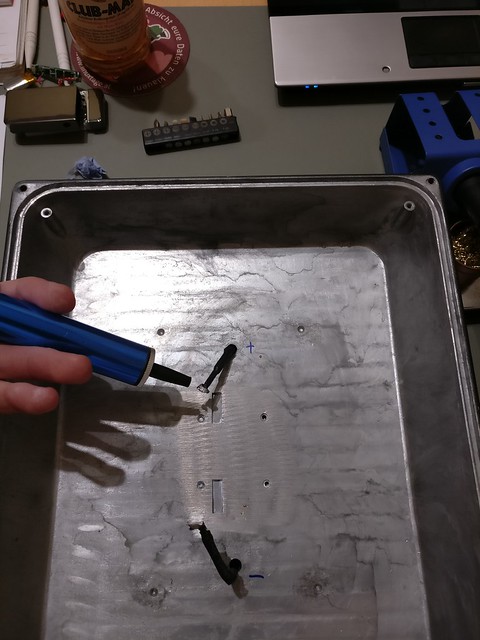
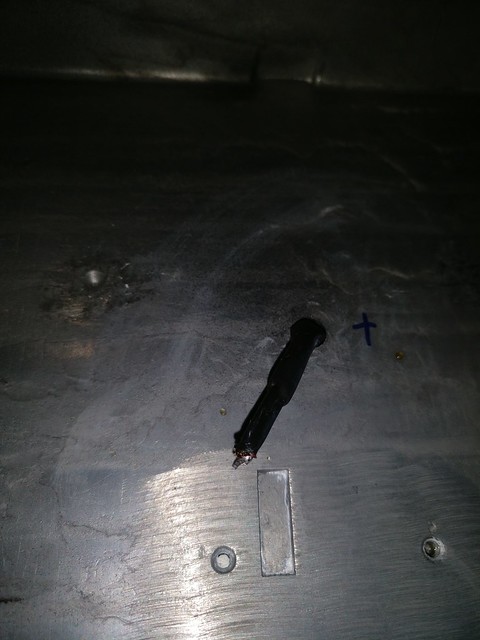
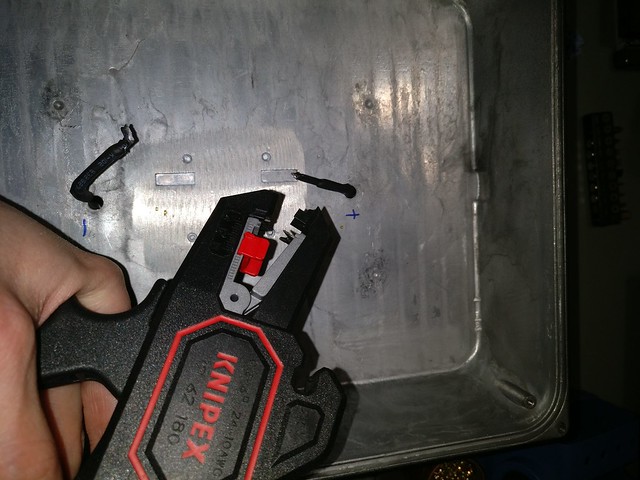
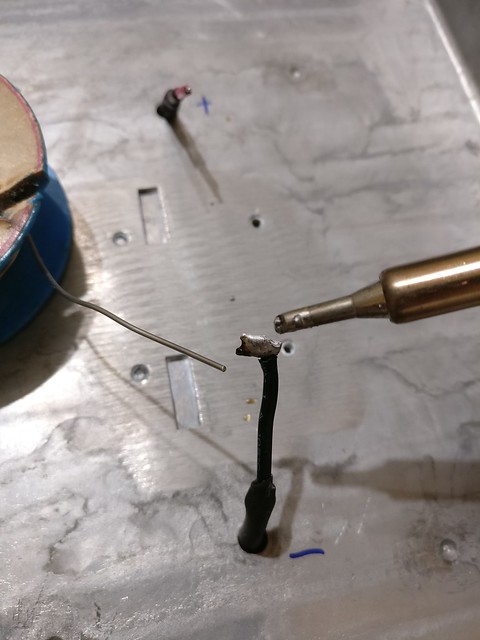
With the more complex wiring in place I continued with the connections to the remaining voltage sockets which should not take too much time. At least that's what I thought. In reality connecting the remaining four voltages caused much more trouble than the first part. The main problem for me was that I initially tried to always connect all available wires for a certain voltage rail to the banana socket. I failed with this target as it was very difficult to screw the wires onto the sockets in the very tight working area between the components of the PSU. Furthermore the thick pack of wires were squeezed out of the screwings when they were tightened. In the end I decided to only connect two or three cables to the sockets, clip off the rest and isolate those with shrink tubing. For the 3V3 connection one of the cables I connected was the brown 3V3_SENSE connection which is necessary for a stable 3.3V supply voltage.

Another problem was that the black shrink tubing was very difficult to get over the socket connectors when the cables were in place but with a lot of fiddling I managed to pull all of them over the sockets and properly isolate the power rails.

From ATX Power Supply Repurpose

Finally I cleaned out the PSU with a compressor and lots of air, did a thorough visual inspection of the modifications and the board, re-installed the initially removed transformer and closed the case of the PSU. The ATX bench power supply in its final beauty:

From ATX Power Supply Repurpose

After carefully plugging in the PSU and using a rubber glove to turn on main power on the backside I did a quick check if the case was free of erronous current. Then I again carefully turned on the new switch on the front, checked the safety of all metal parts once more and finally did a touch-test if it's really safe to the bare hand. Being confident that everything was OK and the LEDs correctly indicated the status I took a check of the voltage levels on the sockets with the multimeter.

From ATX Power Supply Repurpose

My multimeter showed all voltage levels to be within acceptable limits (11.7V, 5.1V, 3.4V, -5.1V, -11.4V) and without any fluctuation. I therefore consider this PSU repurposing sub-project a complete success. What's still left is to stick rubber bumpers on the bottom of the PSU and add properly printed annotations to the elements on the front instead of the pencil writing. But since I don't have any of that around that'll have to wait a few more days.

If you're interested in more images, there are many more available in the album which also show the progress in a bit more detail and from different angles. Included are also some shots of the mess on my desk during the project and an accident with a banana socket where it broke when I tried to screw it tight with too much wires.

Some resources for those who are interested (sorry, most of them are German):

March 1, 2013

Just to share a small tip which over time has saved me lots (really, lots of lots) of time.

It is possible in Firefox to define a bookmark as a shortcut which can be entered in the URL bar of the browser. So for example if you often visit a certain webpage with a long or complicated URL, e.g. https://en.wikipedia.org/wiki/Star_Trek:_The_Next_Generation you most certainly add it as a browser bookmark at some point. Maybe you even put that bookmark on your favourites bar so that you only have to travel a short distance with your mouse to open the page.

A browser bookmark already saves a lot of time but there is still some more potential to speed it up and this is where URL shortcuts enter the stage. To be honest it's not only the shortcut alone but a combination of a keyboard shortcut and URL shortcut. But first things first.

To define a bookmark to be available as URL shortcut you have to enter the Firefox bookmark manager. Then navigate to the bookmark and click it. Its properties are now shown in the lower part of the window. To define an URL shortcut for it click on "More" and a line "Keyword" should appear. Whatever word you enter here is later an alias for this URL in the browser. For example you could enter "st" in the bookmark for the Star Trek URL above. From now if you just enter "st" in the browsers URL bar, https://en.wikipedia.org/wiki/Star_Trek:_The_Next_Generation is loaded.

This is fast but still not much faster than clicking a bookmark. To make it really faster you have to activate and enter the URL bar by using the keyboard shortcut CTRL-L. CTRL-L and entering "st" should now really be faster than moving the mouse if you're just a bit experienced with touch typing on a computers keyboard.

But wait, there's more!

If you have defined a keyword for a bookmark it is possible to supply parameters to this bookmark. This work by using "%s" at the portion of the URL which should be replaced by anything which you write after the URL shortcut into the URL bar.

For example if you dislike the CTRL-K keyboard shortcut to jump to Firefox' search box you could decide that you want https://www.google.com as the keyword "g". Edit this bookmark again and change the bookmarks URL to be "https://www.google.com/search?q=%s". Now you can also add the search queries to the URL shortcut/keyword on the URL bar. Entering "g star trek" should provide lots of joy to the average trekkie :)

At work my favourite URL shortcuts are defined as following:

  • ora -> http://%s.ora-code.com for quick access to explainations of Oracle error messages. Eg. entering "ora ORA-01455" leads to a good explaination of the cause of this error.
  • leo -> http://dict.leo.org/ende?search=%s translates german or english words into the respective other language.
  • wiki -> https://www.wikipedia.org/wiki/%s is a shortcut to the Wikipedia article. Most words are already directly available on wikipedia so this works 90% of the time for me.

Many webpages offer a search functionality and if you want to make this accessible in a very quick way just look how the search results page URL is composed and replace the portion of the search term whith %s for your bookmark.

Simple, fast, unbelievable effective.


Older blog postings

Archives